Get the 8WWW App — Faster Betting, Smoother Casino, Always in Your Pocket
The 8WWW App puts your full account on Android: slots, live casino, crash games, cricket, and bKash/Nagad deposits — all in one 58 MB APK. No browser lag. No shortcuts. Just the full platform built for mobile.
Android 6.0 or higher · 58 MB · Free to install · v2.0.3
- SSL Encrypted
- 18+ Only
- 24/7 Support
- bKash & Nagad
- Android APK
- No Spyware
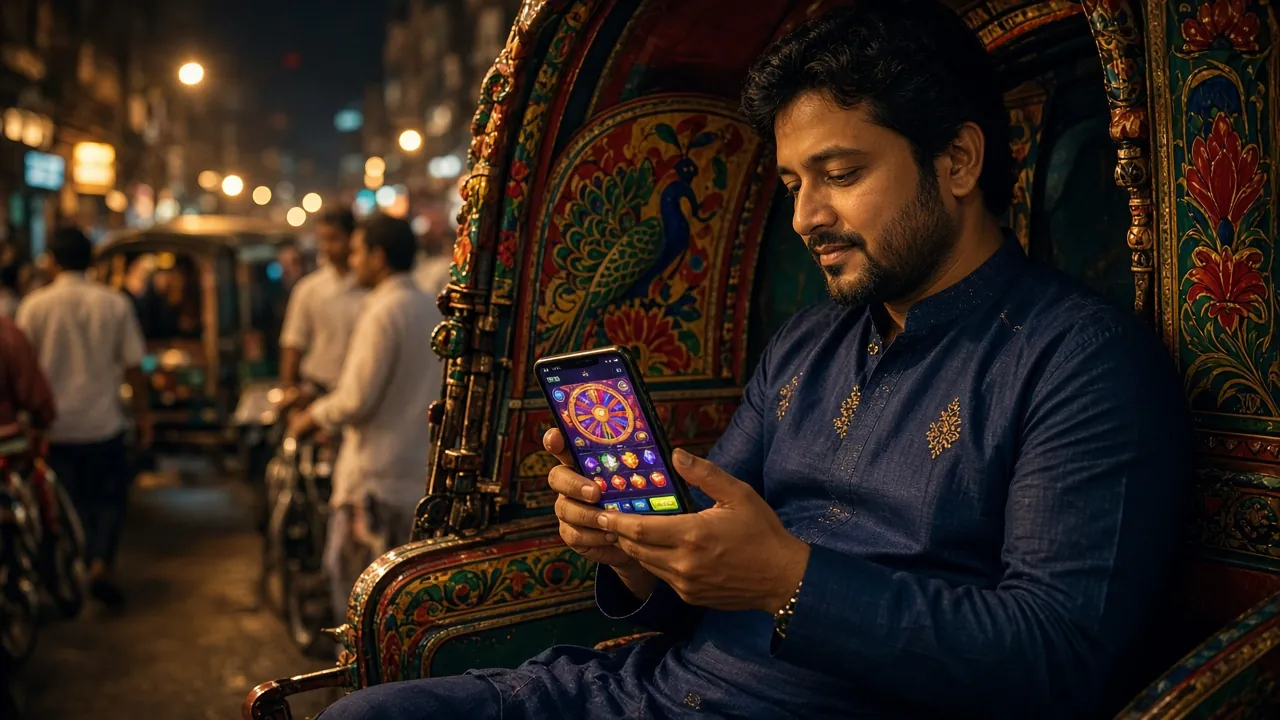
What the 8WWW App Gives You
Six reasons why players in Bangladesh use the app instead of the mobile browser.
Faster Load Times
The app loads your game lobby in under two seconds over a standard 4G connection. It caches static assets locally, so even a slow Grameenphone data connection feels snappy. You spend less time waiting and more time playing — especially important for live casino rounds and crash games where timing matters.
Push Notifications
Opt into push alerts for deposit confirmations, withdrawal status, and bonus activations. You will not miss a bKash credit or a time-limited reload offer. Notifications are off by default — turn on only what you want inside App Settings. No spam, no promo barrages without your permission.
One-Tap bKash & Nagad
Deposit with bKash, Nagad, Rocket, or Upay directly inside the app. The payment screen remembers your last method so you can top up in roughly three minutes. Withdrawals land back in the same mobile wallet within about eight minutes once approved. No separate browser tab needed for payments.
Full Casino Access
Every game available on the desktop site is also in the app: over 2,400 titles from Pragmatic Play, PG Soft, Evolution, CQ9, and Habanero. That includes slots, live casino tables with real dealers, crash games, fishing arcade, and sports betting. Nothing is locked to desktop-only.
Native Dark Interface
The app uses the same midnight-amber design as this site — no harsh white backgrounds at 2 AM. The layout is optimised for portrait mode on common screen sizes (5.5" to 6.7"). Text stays readable, buttons stay large enough to tap cleanly, and the lobby never feels cramped on a smaller phone.
Offline Account Check
Open the app without a data connection to see your cached balance, recent transaction history, and pending withdrawal status. Useful when you are on a patchy connection and just want to check if a Nagad withdrawal has cleared. All real-money actions still need an active internet connection to complete.
8WWW App Security — What It Accesses and Why
The APK requests only the permissions it actually needs. Here is what each one does.
Internet Access
Required to connect to game servers, load your balance, process payments, and stream live dealer video. The app will not work offline for any real-money action. All traffic goes over HTTPS with TLS 1.3 — the same encryption standard used by Bangladesh's major online banks. No plain-text data is ever sent.
Notifications Permission
Used only for deposit alerts, withdrawal updates, and bonus reminders you have opted into. The app does not send unsolicited marketing push notifications without your explicit consent. You can revoke this permission at any time in your Android Settings under Apps without affecting gameplay or payments.
Storage Read/Write
Needed to cache game assets and store the APK update file when a new version is available for download. The app does not read your photos, contacts, or personal files. It only reads and writes to its own sandboxed data folder. You can confirm this by reviewing permissions in Android Settings at any time.
No Camera, No Microphone, No Contacts
The 8WWW App does not request access to your camera, microphone, contacts, SMS, or location. If any installer asks for these permissions while you are installing 8www4.apk, stop immediately — that is not the official file. Download only from this page at 8www4.com/8www4-app/ to get the genuine APK.
App vs Mobile Browser — Which Should You Use?
Both options give you full 8WWW access. Here is how they differ in everyday use.
| Feature | 8WWW App (APK) | Mobile Browser |
|---|---|---|
| First load speed | Under 2 seconds (cached) | 3–6 seconds (fetches each time) |
| Push notifications | Yes — opt-in alerts | Not available |
| bKash / Nagad one-tap | Saved payment method | Re-enter details each session |
| Screen space for games | Full screen, no browser bar | Browser address bar takes ~56px |
| Install required | Yes — allow unknown sources once | Open URL, no install |
| Works on iOS | Android only (APK) | Yes — Safari / Chrome |
| Offline balance check | Shows cached data | Needs active connection |
| Auto-update | In-app prompt when new APK ready | Always latest version |
Highlighted row = most common deciding factor for Bangladesh users. iOS users: see the "iPhone & iPad" section below.
Install the APK on Android — 5 Steps
The whole process takes under three minutes on most phones. You only need to allow unknown sources once — Android remembers the setting.
-
1
Open Settings and Allow Unknown Sources
Go to Settings → Security (or Settings → Apps → Special App Access → Install Unknown Apps on Android 8+). Find your browser or file manager and toggle "Allow from this source" to on. This one-time step lets Android install APK files downloaded outside the Play Store. You can turn it back off after installation if you prefer.
-
2
Tap "Download APK" on This Page
Press the Download APK button above. Your browser will save 8www4.apk (58 MB) to your phone's Downloads folder. On a standard Grameenphone 4G connection this takes about 15–30 seconds. Do not download the APK from any other website — only 8www4.com/8www4-app/ hosts the official file.
-
3
Open the Downloaded APK File
Pull down your notification bar and tap the completed download, or open your Files app and navigate to Downloads → 8www4.apk. Android will show a standard install prompt listing the app name and permissions requested. Review the permissions — the app only needs internet, notifications, and storage. No camera, contacts, or location required.
-
4
Tap Install and Wait 10–15 Seconds
Press Install on the prompt. Android will unpack and install the APK in about 10–15 seconds depending on your phone's speed. You will see a "App installed" confirmation screen. If your phone's antivirus flags the file, this is a common false positive for gambling APKs — the file contains no malware. Add an exception if prompted.
-
5
Open the App and Log In or Register
Tap Open from the install screen, or find the 8WWW icon on your home screen. If you already have an account, log in here with your registered phone number and password. New players can create an account in under two minutes directly inside the app — your welcome bonus applies on your first deposit.
iPhone and iPad Users
Apple does not allow sideloaded APKs on iOS. The best option is to add the 8WWW website to your home screen as a web app — it behaves like a native app and loads immediately.
- 1 Open Safari and go to 8www4.com. Chrome on iOS does not support the Add to Home Screen shortcut, so Safari is the right browser here.
- 2 Tap the Share button (the square with an arrow pointing up) at the bottom of the Safari toolbar.
- 3 Scroll down in the share sheet and tap "Add to Home Screen." Edit the name if you like — then tap Add in the top right corner.
- 4 The 8WWW icon appears on your home screen. Tap it to open the site in a full-screen view without Safari's address bar taking up space. Log in as normal.
What Works on iOS
- All casino games, sports, and crash — same lobby as the app
- bKash and Nagad deposits via Safari Pay
- Full account management, bonuses, and withdrawals
- Push notifications not available on iOS web apps (Apple restriction)
- APK install is not possible on iPhone or iPad
Version Details and System Requirements
Check your Android version before downloading. Most phones sold in Bangladesh from 2018 onward will meet these requirements.
Only download from 8www4.com/8www4-app/ — the official source.
| Specification | Requirement |
|---|---|
| App Version | 2.0.3 |
| File Name | 8www4.apk |
| File Size | 58 MB |
| Minimum Android | 6.0 (Marshmallow) |
| Last Updated | 14 November 2026 |
| Price | Free |
| Languages | English, Bangla |
| iOS App | Not available — use Safari |
To check your Android version: Settings → About Phone → Android Version. Any number 6.0 or above is compatible.
Fix Common Installation Problems
Most install errors have a simple fix. Work through the table before contacting support.
| Problem | Likely Cause | Fix |
|---|---|---|
| "Install blocked" message appears | Unknown sources not enabled for your browser or file manager. Android 8+ applies this setting per-app rather than globally. | Go to Settings → Apps → [your browser] → Install Unknown Apps and toggle it on. Then tap the APK file again from your Downloads folder. |
| "App not installed" after tapping Install | Either a corrupted or incomplete APK download, or a conflicting older version of the app still present on the device. | Uninstall any existing 8WWW app first. Then delete the APK file, re-download from this page, and try installing the fresh file. Ensure you have at least 150 MB of free storage. |
| Download stops at a percentage | Unstable mobile data connection or low storage space on the device. The 58 MB APK needs a steady connection to download completely. | Switch to Wi-Fi if available. Free up phone storage to at least 200 MB. Restart the download from this page — do not resume a partial file from a third-party source. |
| Antivirus flags the file as a threat | Many mobile antivirus apps flag gambling APKs as "potentially unwanted" by policy, even when the file contains no malware. This is a known false positive pattern. | Verify you downloaded from 8www4.com/8www4-app/ only. Add an exception in your antivirus app for 8www4.apk and proceed with installation. If in doubt, contact 24/7 live chat. |
| App installs but opens to a blank or error screen | Your Android version is below 6.0, or the app cache is corrupted after a first install on a device with restricted background data. | Confirm your Android version is 6.0 or higher via Settings → About Phone. If it meets the requirement, go to Settings → Apps → 8WWW → Storage → Clear Cache, then reopen the app. |
Games You Can Play Inside the 8WWW App
The full casino lobby is available in the app. Here are a few popular titles to get started.


Install the App in Five Moves
From download to your first bet — the whole process takes under three minutes on any Android phone running 6.0 or higher.
-
Download the APK
Tap the Download APK button on this page or scan the QR code. Your browser will save the file — it is 58 MB and arrives in seconds over 4G.
-
Allow Unknown Sources
Open your phone's Settings, go to Security or Apps, and enable "Install from unknown sources" for your browser or file manager. Android will prompt you automatically after the download.
-
Run the Installer
Tap the downloaded file in your notifications or file manager. Hit Install and wait about 15 seconds. No extra permissions are requested beyond what the app needs to run.
-
Log In or Create Your Account
Open the 8WWW app, enter your existing username and password, or tap Register to set up a new account. The whole sign-up form is under two minutes.
-
Deposit and Start Playing
Go to the Deposit tab, choose bKash, Nagad, Rocket, or Upay, and confirm the amount. Funds arrive in roughly three minutes — then head straight to the game lobby.
Questions About the 8WWW App
Answers to what players ask most before and after installing the APK.
Is the 8WWW APK safe to install?
Why does Android block the installation by default?
How do I update the app when a new version is released?
Can I use the same account on both the app and the browser?
Does the app work on all Android phones sold in Bangladesh?
What happens to my bonus if I register through the app?
Can I deposit and withdraw using bKash inside the app?
Is there an iOS version of the 8WWW App planned?
18+ · Play Responsibly · 8WWW supports responsible gambling practices